Announcements
With announcements you can send a push message to the phones and computers of visitors, coaches and volunteers during competition day. Useful for messages such as "Lunch is ready", "The awards ceremony starts in 10 minutes" or a change to the schedule.
How do people receive announcements?
A message only arrives on devices that have signed up:
- Visitors, teams and coaches: On the public website there is a megaphone button (1) at the top. Tap it and allow the browser to show notifications. No account is needed. Tapping it again switches announcements off.
- Volunteers with an account: They switch notifications on via their profile, with Enable Notifications under Notifications. See the page Logging in and finding your way around.

Put up a sign at the entrance or ask the host to mention that visitors can switch on announcements via the megaphone on the website. On an iPhone, push notifications only work after the website has been added to the home screen.
Sending an announcement
Announcements can be sent by the scoring desk and administrators.
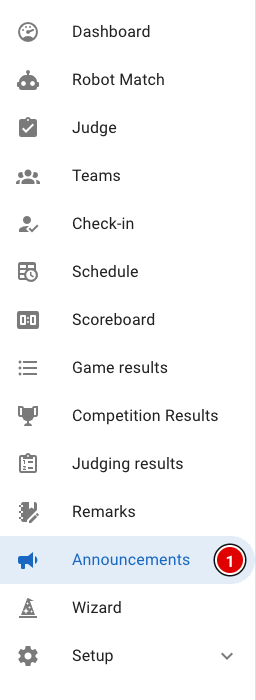
- Click Announcements (1) in the menu.
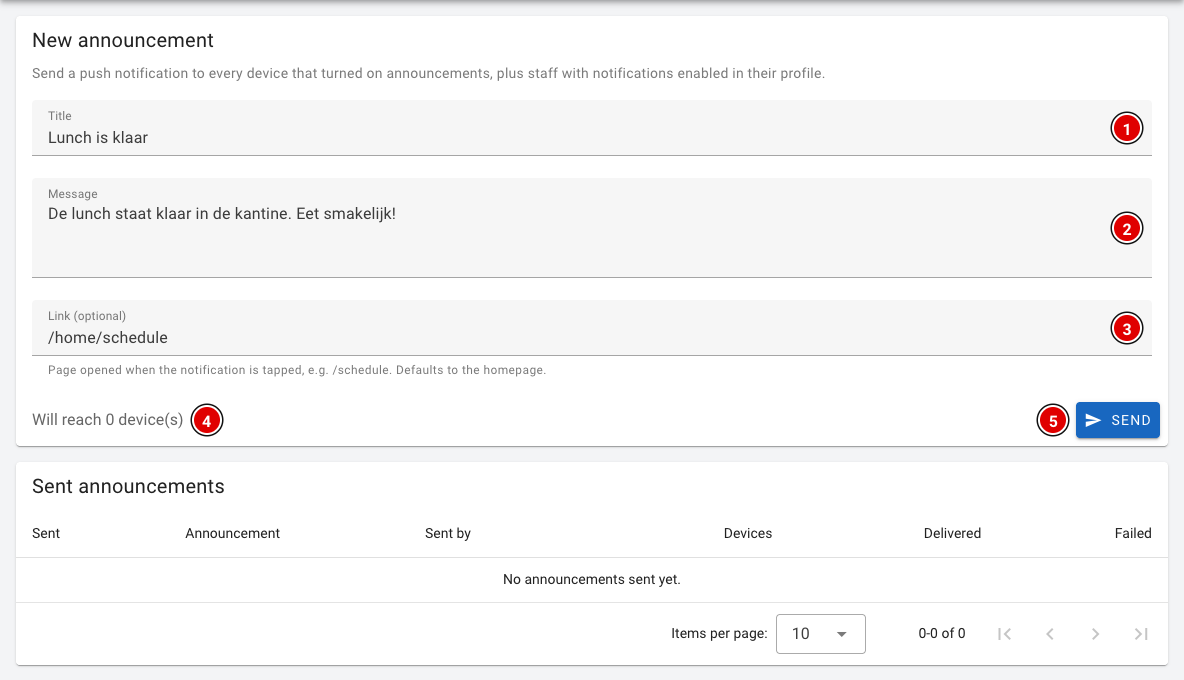
- Title (1): The title of the message, for example "Lunch is ready".
- Message (2): The message itself. Keep it short; only a little text is visible on a phone.
- Link (optional) (3): The page that opens when someone taps the notification, for example /home/schedule for the schedule or /scoreboard for the scoreboard. If you leave it empty, the homepage opens.
- Will reach (4): How many devices the message will reach.
- Click Send (5).
A confirmation question appears. Click Send again to actually send the message.
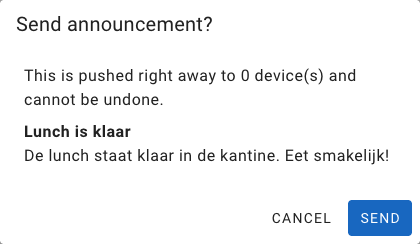
A sent announcement arrives immediately and cannot be recalled. So read the message carefully before you send it.
Sent announcements
Under Sent announcements you can see all previously sent messages, who sent them, to how many devices (Devices), and on how many devices the message was delivered (Delivered) or failed (Failed).
Do you see a message that web push is not configured? Then FLLTools can't send push messages on this environment (yet). Contact thijs@flltools.nl.