
Making the last round visible
…Don't forget to make the last round visible after the awards ceremony! Then the teams can see the final results of the day too.
During competition day the last round is usually set to Hide scores. That keeps the results exciting until the awards ceremony. As long as a round is hidden, its scores are not shown on:
- the public scoreboard;
- the info screens (scoreboard, ticker and livestream overlay);
- the public team pages (they show "Score hidden");
- the Competition Results page (the robot scores of that round don't count there yet).
Logged-in users can still see the hidden scores on the administrative scoreboard and under Game results.
Making the round visible
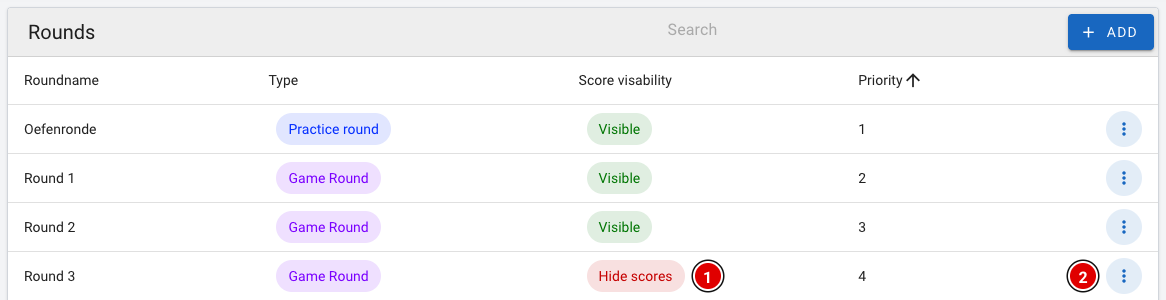
- Go via Setup to Rounds.
- You can recognise the hidden round by the red Hide scores (1) label.
- Click the 3 dots (2) at the end of that row.
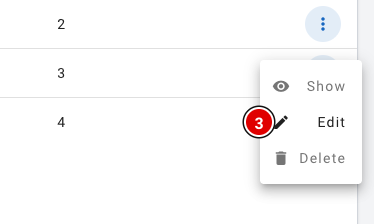
- Click Edit (3).
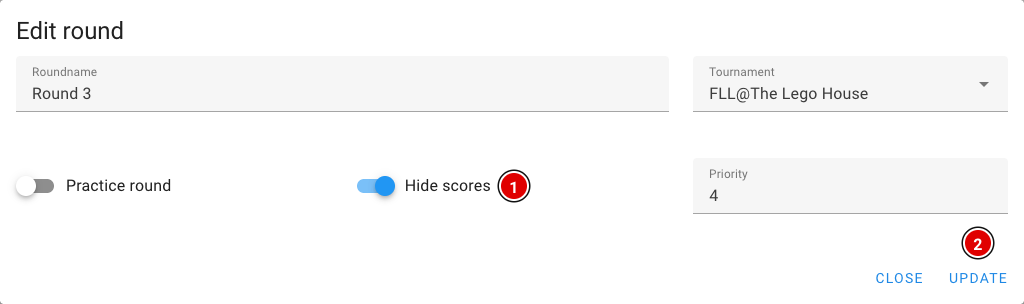
- Switch Hide scores (1) off.
- Click Update (2).
- The list now shows the green Visible label for the round.
The public scoreboard and the info screens update automatically. Visitors don't need to reload the page.
Results on the team pages
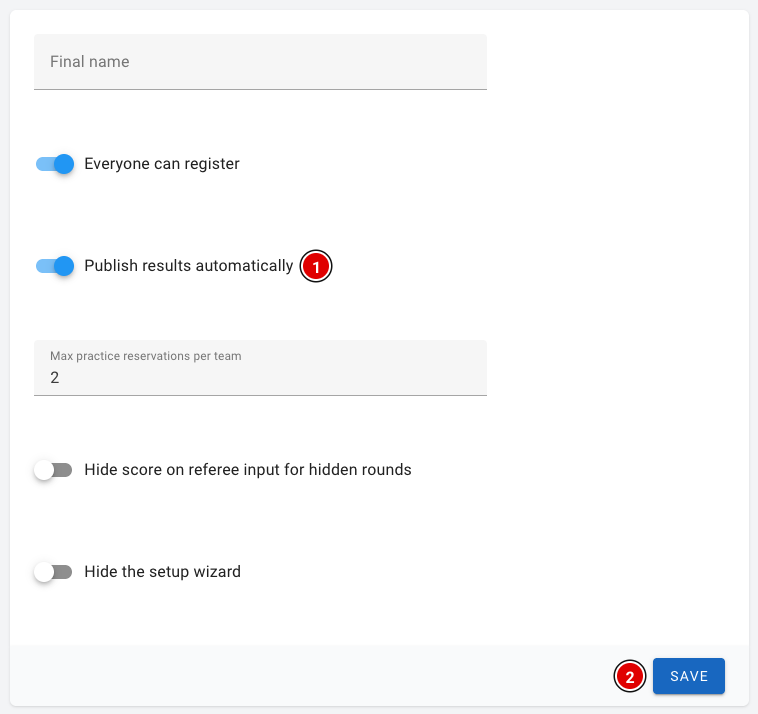
Whether match results appear on the public team pages depends on the Publish results automatically (1) setting. You'll find it via Setup and Settings.
- When it is on, a team sees the scores per round on its own team page and can view the completed score sheets. Scores of hidden rounds stay hidden until you make the round visible.
- When it is off, no match results are shown on the team pages at all.
- Only want to show the results after the awards ceremony? Then switch the setting on at that point and click Save (2).
The public scoreboard does not use this setting. It always shows the scores of the visible rounds (excluding practice rounds).