
Remarks
…The Remarks module is switched on by default. This is where remarks about teams are collected, so they are easy to find during the judges' deliberation. Remarks are placed in different categories and can be both positive and negative.
Where do remarks come from?
- Referees: Whatever a referee enters under Comments on the score sheet is automatically saved as a remark for the team, in the Table category.
- Judges: Via Add remark in the Judge portal. Judges only see and edit their own remarks there (under Remarks in their menu).
- Other volunteers: Anyone with a role (referee, judge, secretariat, administrator) can add a remark to inform the judges' deliberation, for example the volunteers in the pits or at check-in.
The overview
Go to Remarks in the menu. This overview is visible to the scoring desk and administrators, and only shows the remarks of the current tournament.
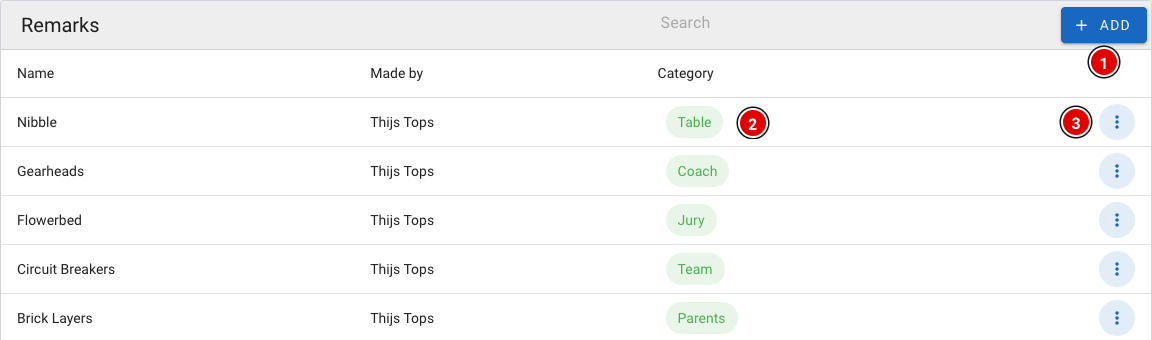
- Add (1) adds a new remark.
- The category (2) shows where the remark came from.
- Via the 3 dots (3) you can open (Show), change (Edit) or delete (Delete) a remark. Only an administrator can change and delete remarks.
The remarks themselves are not shown in the overview, in case other people are looking over your shoulder. You can read a remark by opening it via the menu.
Adding a remark
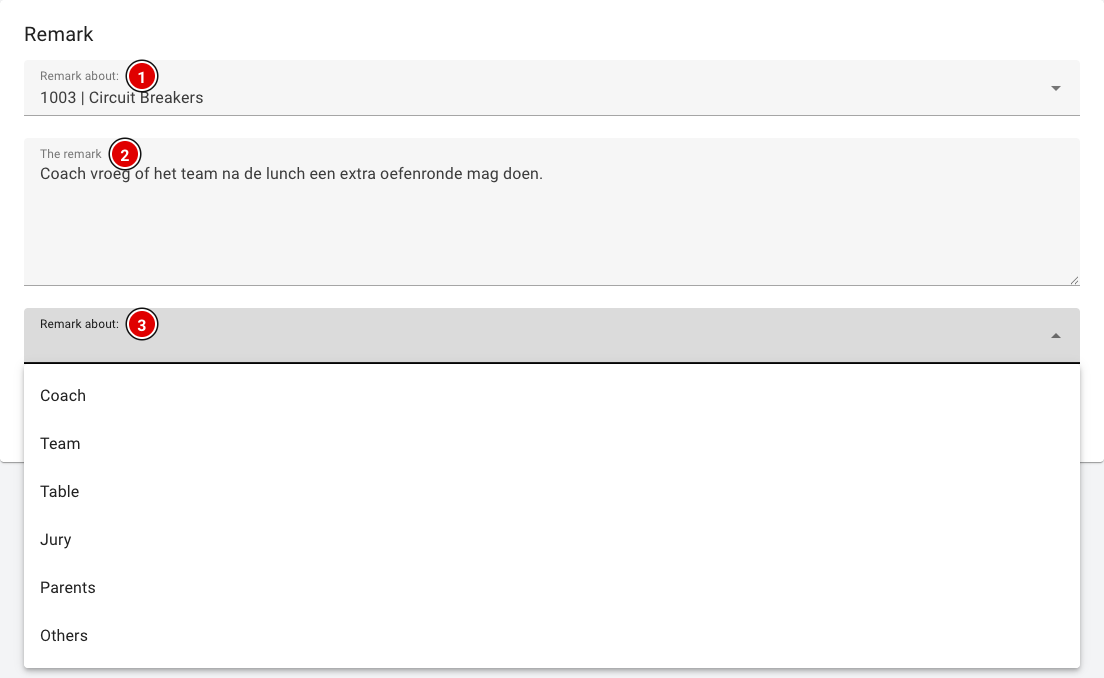
- Remark about (1): Choose the team the remark is about. Type a few letters or the team number to search.
- The remark (2): The remark itself. Keep it short and factual.
- Category (3): Who or where the remark comes from: Coach, Team, Table, Jury, Parents or Others. Note: in the tool this field is currently also labelled "Remark about:".
- Click Save to store the remark.
At the moment, remarks are deleted at the end of the year. We are working on keeping remarks across seasons, so that problems don't depend on volunteers remembering them but can be tracked systematically.